
Teacher guide
Test grade vs. GPA: what each number answers.
A test percentage reports performance against one assessment’s possible points. A GPA summarizes course grade points and credit hours under a school’s own rules. They are calculated from different inputs.
Quick difference
Keep the denominator in view.
| Number | What goes into it | What it describes |
|---|---|---|
| Test grade | Correct answers or points earned on one assessment | One quiz, test, rubric, or assignment |
| Course grade | Assessment results combined using the course’s points or category weights | One course for a term |
| GPA | Course grade points multiplied by each course’s credit hours | A set of courses under registrar rules |
An 80% test result may contribute to a course grade, but it does not become a 0.80 or 80-point GPA. First identify whether you are grading one paper, calculating a course total, or reading an academic record.
One assessment
Calculate a test percentage from the paper in front of you.
For equal-weight questions, count the answers earned and divide by the number of questions. A student who gets 16 of 20 questions correct has a test percentage of 16 ÷ 20 × 100 = 80%. If the questions have different values or allow partial credit, use points earned ÷ points possible × 100 instead.
For example, 42.75 points earned out of 50 possible is 42.75 ÷ 50 × 100 = 85.5%. A missed-question count alone would hide the different point values, so it would not be the right input for that paper.
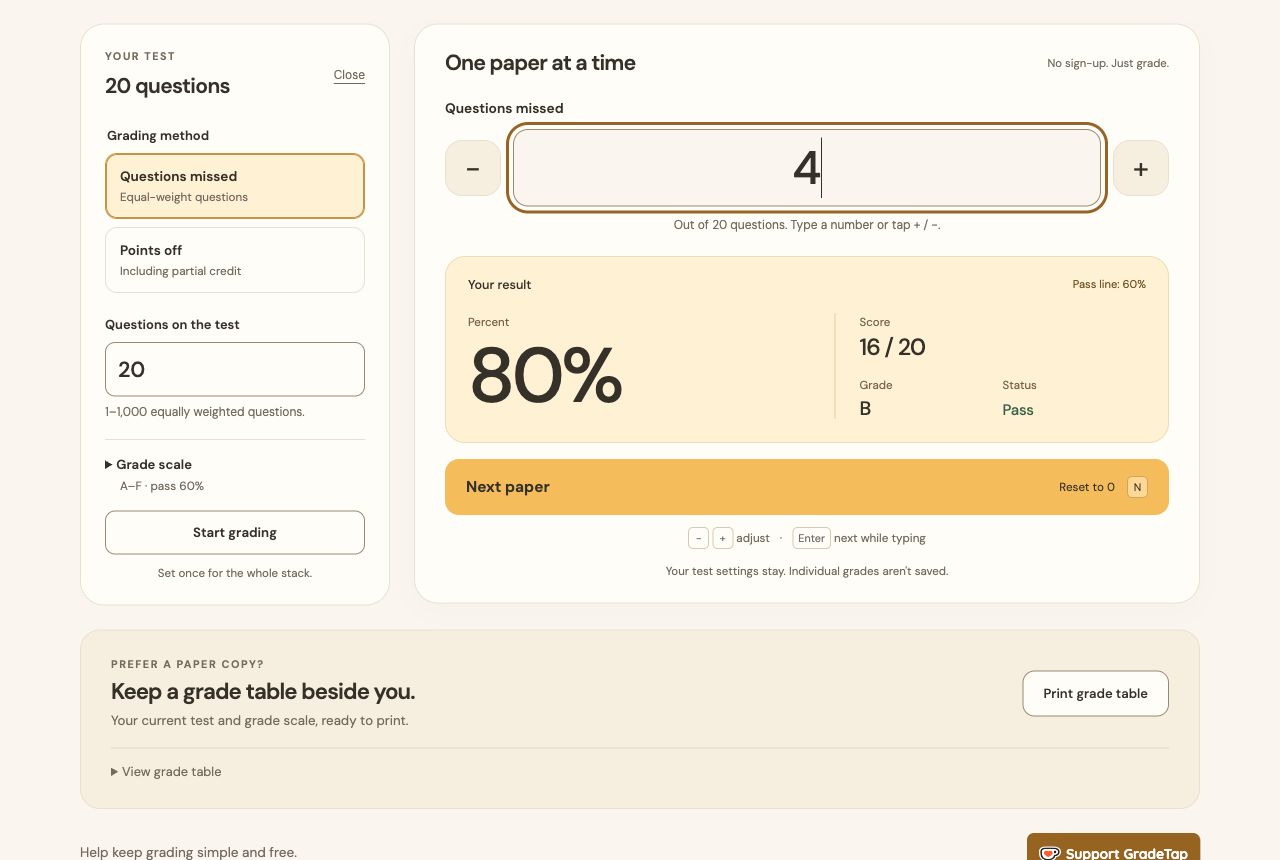
Use the test score calculator when you need this one-assessment result. GradeTap accepts equal-weight questions or points off and reports a score and percentage; it does not calculate a course GPA.
One course
A course grade can give the same test different weight.
A course syllabus may combine categories such as tests, projects, homework, and a final exam. In a category-weighted course, the grade is a weighted total of those category results, so averaging the visible percentages is only correct when each item has the same weight.
Illustrative course example: tests are 40% of the course at 80%, projects are 35% at 90%, and the final is 25% at 76%. The course percentage is (0.40 × 80) + (0.35 × 90) + (0.25 × 76) = 82.5%.
In this illustration, the 80% tests-category average supplies 32 percentage points because that category is worth 40%. An individual test must first be combined inside that category according to its own course policy. Another teacher or course could use different categories, drops, replacement rules, or rounding. Apply the course’s stated policy before converting a course percentage to a letter grade.
Across courses
GPA weights course grade points by credit hours.
The University of Illinois Office of the Registrar’s GPA instructions describe the common sequence: multiply each course’s grade points by its credit hours to make quality points, add those values, then divide by total GPA hours. Its example also marks S and CR as not applicable, which is a useful reminder to check which grades count at the student’s institution.
Illustrative GPA example: assume a local policy maps A to 4.0, B to 3.0, and C to 2.0. A B in a 4-credit course gives 12 quality points; an A in a 3-credit course gives 12; a C in a 2-credit course gives 4. The GPA is (12 + 12 + 4) ÷ (4 + 3 + 2) = 28 ÷ 9 ≈ 3.11 when shown to two decimal places.
The grade-point table and inclusion rules are institutional. For example, Illinois’s registrar example shows B+ as 3.33 and A+ as 4.00, while the University of Washington transcript legend uses a numeric scale from 4.0 down to 0.0 and gives B+ an undergraduate range of 3.4–3.2. Treat those pages as examples of published local rules, not a universal conversion chart.
A clean workflow
Use the calculation that matches the decision.
Grade the assessment.
Use equal-weight questions when every item is worth the same amount; otherwise use points earned and points possible.
Apply the course syllabus.
Place the assessment result in the correct category and apply the course’s weights, policies, and rounding rule.
Use the registrar’s GPA policy.
Convert final course grades and credit hours only with the student’s current institutional table and inclusion rules.
State the boundary clearly.
GradeTap helps with the first step: a single test score. It does not replace a course-grade or GPA calculator.
Sources
Registrar pages for GPA rules.
- University of Illinois Office of the Registrar — Calculate Your GPA: quality points, GPA hours, and its worked example.
- University of Washington Office of the University Registrar — Transcript Legend: numeric grade scale and letter-grade ranges.
Institutional policies can change. For an official record, use the registrar page for the student’s own school and term.